
TUNEable'r
Draw melodies, build loops and arrange a track in your browser. Instruments, recordings, project storage and exports run on your own computer.
What it does
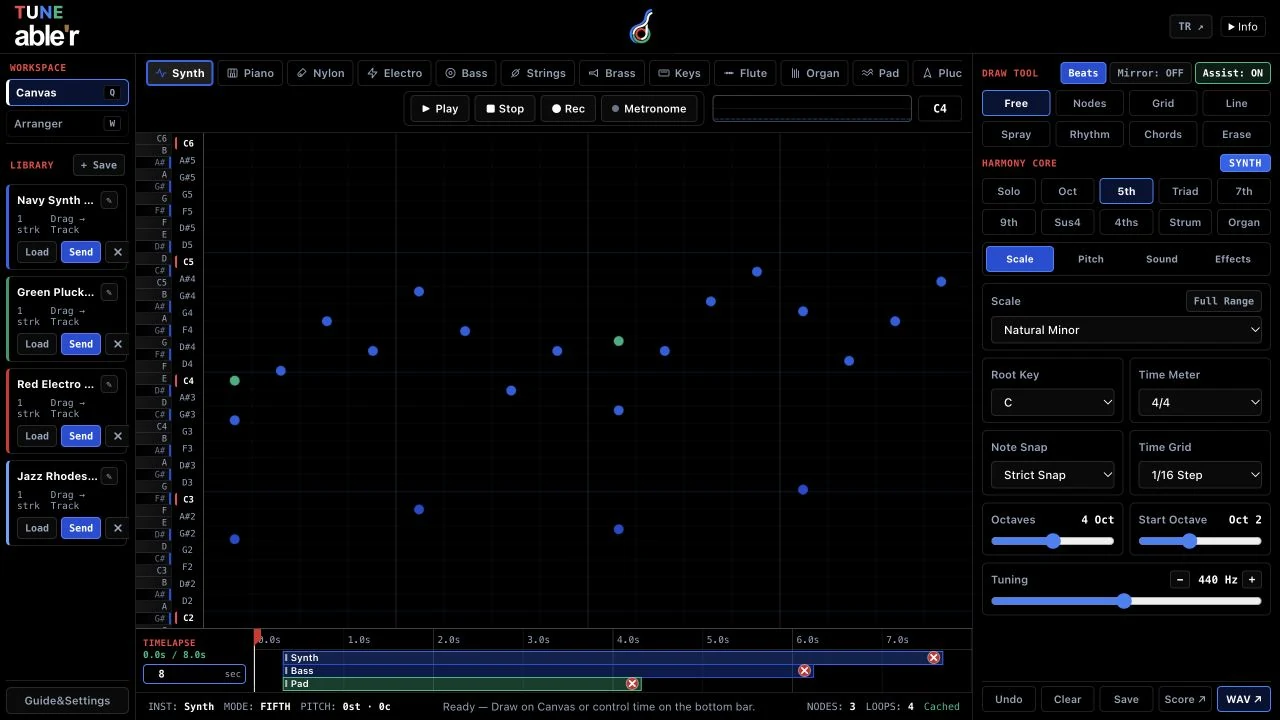
TUNE able'r starts with a drawing canvas: choose an instrument and draw a melody. The sequencer lets you build loops, while the arranger combines musical parts into a longer track. Local recordings and audio files can become material for the project too.
Audio processing, recording and project storage happen in your browser on your own computer. Export WAV for audio, MIDI for notes, a score for reading, or a JSON project backup for restoring your work. Browser storage is useful between sessions, but a downloaded project backup is important if that storage is cleared.
- Draw melodies with selectable instruments
- Build loops and arrange tracks
- Record and use local audio
- Export WAV, MIDI, scores and project backups
Questions
Do I need to install an app or create an account?
Open the studio in a compatible browser. There is no app installation or account step; music processing and project storage run on your device.
Are my recordings or projects uploaded?
Project content and recordings are processed locally in your browser. The site does not upload your music to its server. Microphone recording starts only after you grant permission.
How do I keep a project when I clear browser data?
Export a JSON project backup before clearing browser storage. Keep that file on your own device so you can import it later. A WAV or MIDI export is useful output, but is not the same as a complete project backup.